

Early years teams are under more pressure than ever: rising needs, stretched budgets, and the constant balancing act of keeping children safe while helping them thrive in a rapidly changing world. “Technology” can feel like one more thing to manage, often misunderstood as always involving screens or seen as a distraction from the real work of play, relationships, and communication.

However, technology in early years does not have to mean passive screen time or a distraction from learning. When we treat technology as a tool for facilitating children’s exploration, hands-on play, and problem solving, it can strengthen the very things we care most about: curiosity, language, collaboration, creativity, and independence.
This article will explore what meaningful technology use can look like in early years, why it matters, how to effectively bring it into your setting, and how hands-on tools such as Cubetto and Sphero indi can support high-quality practice.
Technology in Early Years: Integration vs Digital Literacy
A helpful starting point is to separate two ideas that are often blurred together:
- Technology integration: adding devices or tools into the setting (sometimes without a clear purpose)
- Digital literacy: helping children develop knowledge, skills, and dispositions to understand and use technology in safe, creative, and purposeful ways.
Digital literacy in early years is not about teaching children to “use apps” or preparing them for formal computing. It is about supporting children to:
- Notice cause and effect
- Make predictions and test ideas
- Debug when something does not work
- Use language to explain a process
- Collaborate, take turns, and negotiate
- Understand that technology is designed by people and can be controlled
When we focus on digital literacy, technology becomes a means not the goal.
The Intent Implementation Impact Lens
One of the simplest ways to keep technology use developmentally appropriate is to use an Intent–Implementation–Impact approach. This prompts practitioners to ask three questions: Why are we using this (Intent)? How will it be used (Implementation)? What changed because of it (Impact)?
Before introducing any technological tool to an educational setting, ask about the intent:
- What learning or development are we aiming to support?
- Which children might benefit most (and why)?
- How does this connect to our current interests, themes, or observed needs?
Then consider the implementation:
- Is it child-led, adult-guided, or adult-led?
- How will we introduce vocabulary and model thinking?
- How will we ensure access, turn-taking, and inclusion?
- What will we do if it becomes repetitive or unchallenging?
Finally, look for evidence of impact:
- Did children persist with learning for longer periods?
- Did language and collaboration increase?
- Did children transfer skills into other play?
- Did it support specific children’s confidence or engagement?
This lens helps teams avoid “tech for tech’s sake” and makes it easier to explain decisions to parents, leaders, and inspectors.
Why Hands-On, Screen-Free Tech Matters
Many early years professionals are rightly cautious about screens. The good news is that many of the most powerful technological experiences for young children are screen-free and tactile.
Hands-on tools can keep learning rooted in movement and sensory exploration while reducing the risk of passive consumption of technology. These tools strongly encourage and facilitate shared play rather than isolated and individual use, and, most importantly, make thinking visible through physical actions.

This is where tools like Cubetto and Sphero indi can fit beautifully: they invite children to plan, test, adjust, and try again using their bodies, their voices, and their relationships. We will now outline these two tools as examples of the types of hands-on educational technology.
Cubetto: Sequencing, Storytelling, and Early Computational Thinking
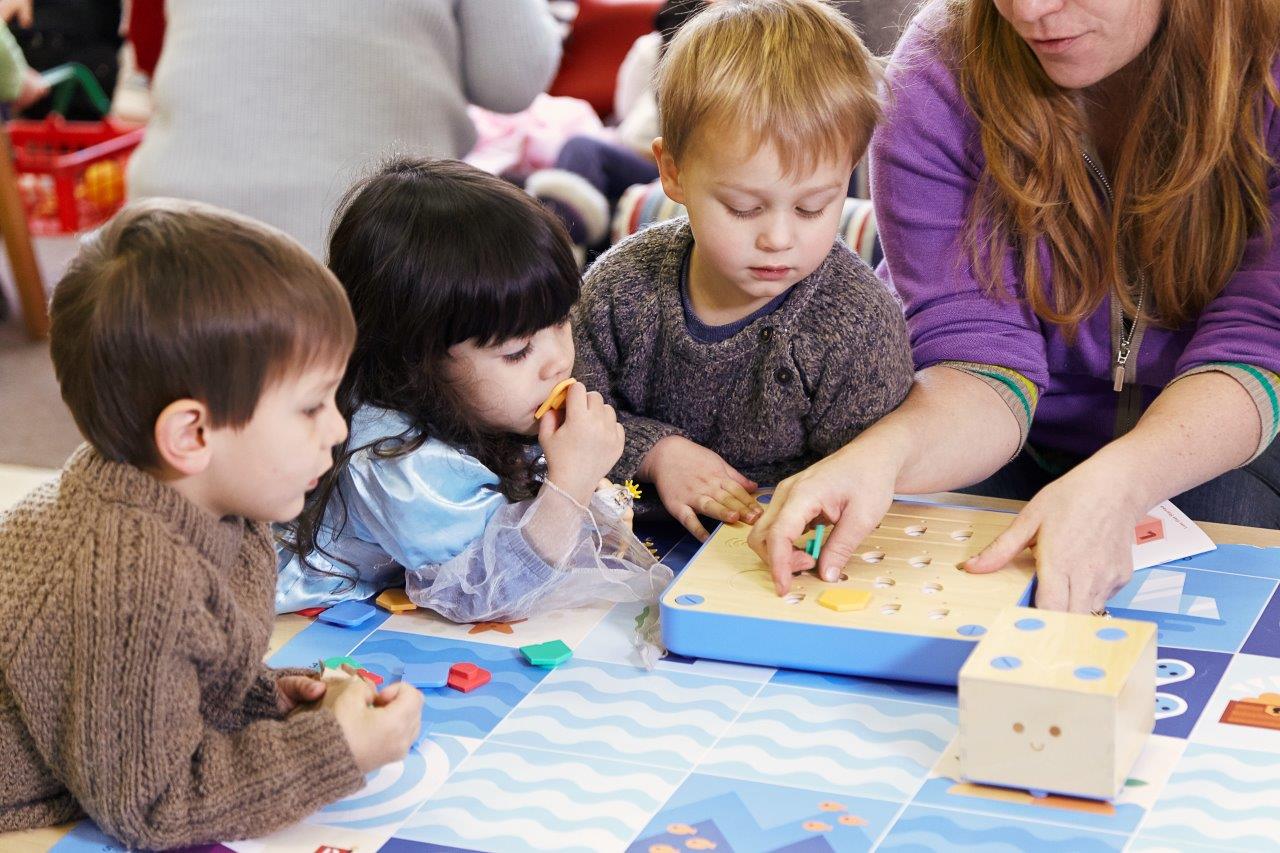
Cubetto is often described as an “early coding” resource, but in practice it is much more than that. At its best, Cubetto is a storytelling and problem-solving tool that helps children make their thinking visible. Cubetto is controlled by the ‘coding board’ using coloured tiles to move the robot around themed mats.
Children can explore:
- Sequencing: putting steps in order and noticing what happens when the order changes
- Direction and positional language: forward, turn, left, right, next to, behind, between
- Planning and prediction: “If we choose these blocks, where will Cubetto end up?”
- Problem Solving: “What is wrong with this sequence of blocks and how do we fix it?”
- Debugging: spotting when something does not work and changing one part at a time
To find out more about Cubetto: https://www.oxford-educational.tech/cubetto
To buy Cubetto: https://www.studentcalculators.co.uk/acatalog/Cubetto.html
A practical example
A small group is using a mat linked to a familiar story (for example, a journey to the park, the shop, or a pretend “bear hunt”). The adult supports children to:
- Talk through the route
- Choose the blocks together
- Run the sequence
- Reflect on what happened
The learning is not in “getting it right first time”. The learning is in the language, the collaboration, and the resilience when the route needs adjusting. This can be developed into children being assigned specific roles within the ‘team’, such as planner, block layer, checker, debugger and starter.
Inclusion and SEND
Cubetto can be particularly supportive for children who benefit from:
- Clear structure and predictable routines
- Concrete, physical resources
- Collaborative play with defined roles
With thoughtful adult support, it can also help children practice turn-taking and shared attention in a way that feels purposeful.
Sphero indi: Patterns, Logic, and Creative Problem Solving
Sphero indi offers a different kind of experience: children can explore patterns, logic, and cause-and-effect through playful challenges. It uses a colour sensor to read colourful tiles laid on a surface to proceed, turn, speed up, slow down, stop or celebrate.
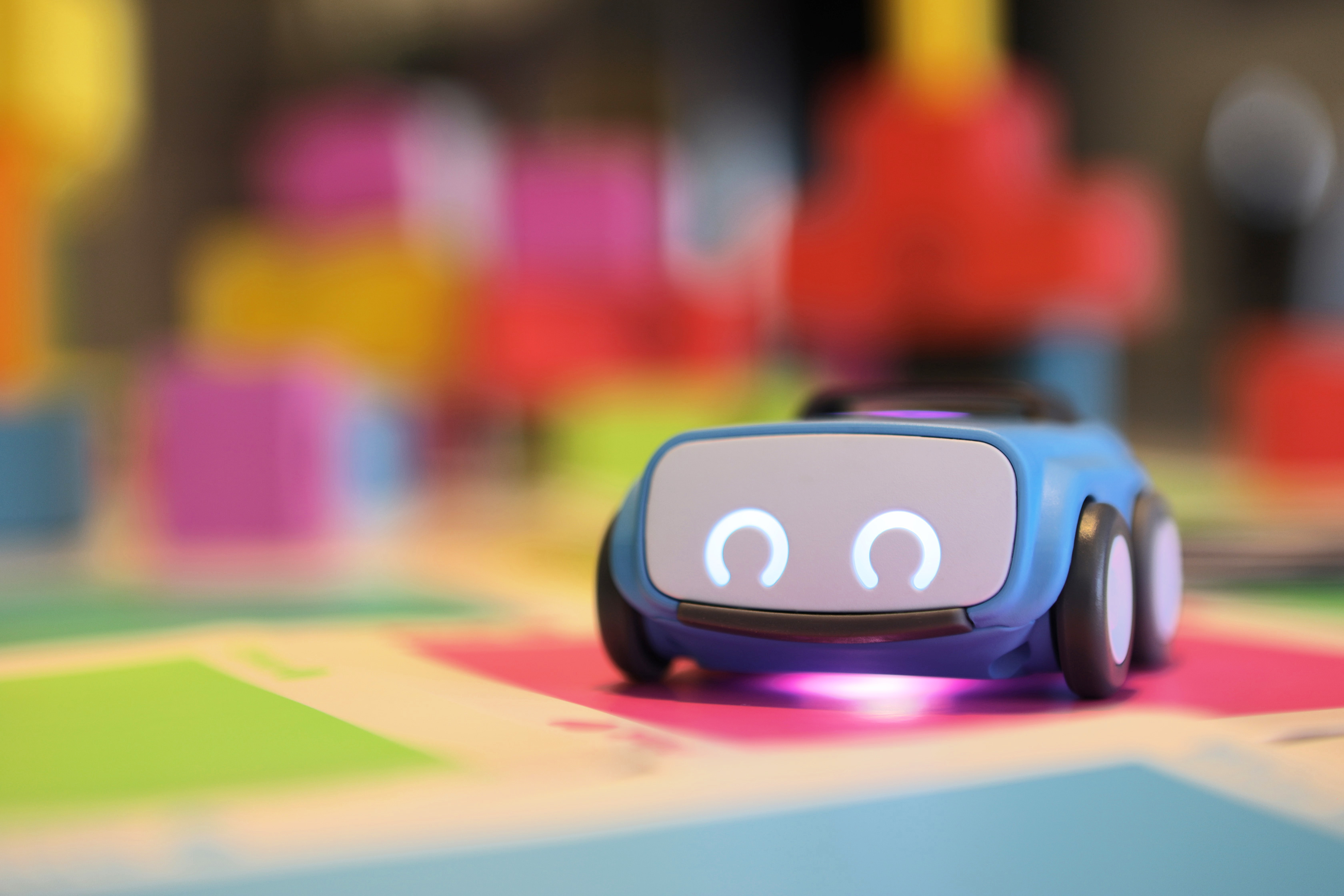
Depending on how it is used, Sphero indi can support:
- Pattern recognition and early mathematical thinking
- Trial and improvement: testing an idea, noticing the outcome, and refining
- Vocabulary for thinking: predict, test, change, same, different, because
- Teamwork: agreeing with a plan, assigning roles, and reflecting together
To find out more about Sphero indi: https://www.oxford-educational.tech/sphero-indi
To buy Sphero indi: https://www.studentcalculators.co.uk/acatalog/Sphero-indi.html
A practical example
Children set up a simple “delivery route” in the construction area. They create a road system with blocks and loose parts, then use Sphero indi to travel between “homes” and “shops”. Practitioners can extend learning by:
- Introducing small challenges (“Can you make Cubetto stop at two homes before the shop?”)
- Encouraging children to explain their reasoning
- Linking to real-world experiences (maps, journeys, community helpers)
This keeps the experience grounded in children’s interests and supports sustained shared thinking.
Making it Work in Real Settings (Without Adding Pressure)
A common worry is that technology will create extra workload or become another “initiative” that staff do not have time for. The key is to keep it simple, purposeful, and repeatable.

Here are practical ways to embed hands-on technology without overwhelming teams:
- Start small: one tool, one area, one routine
- Use short sessions: 10–15 minutes can be enough for meaningful exploration
- Build a shared vocabulary: words like plan, predict, test, change, try again
- Create roles: navigator, block chooser, checker, storyteller so everyone participates
- Capture learning lightly: a photo, a quick quote, or a short observation linked to your intent
Most importantly, treat the tool as part of the continuous provision not a special event that only happens when there’s “time”. When it becomes a familiar option, children return to it with deeper questions, stronger collaboration, and more confidence.
Supporting Practitioners' Confidence
Children’s confidence with technology often grows quickly when the adults around them feel calm and curious. Practitioners do not need to be “tech experts” to facilitate high-quality learning. What they need is:
- Permission to explore alongside children
- A clear purpose for the tool
- Simple language to describe what is happening
- A culture where “not working yet” is part of learning
It also helps to normalise a few practitioner-friendly prompts, such as:
- “What do you think will happen if…?”
- “How could we change it?”
- “What did you notice?”
- “Shall we try it again a different way?”
When adults model problem-solving and reflection, children learn that technology is something they can control, not something that controls them.
A Final Thought: Keep it Playful, Keep it Human
The best early years of technological experiences are not about devices; they are about children. When tools like Cubetto and Sphero indi are used with clear intent, they can strengthen the foundations we value most: communication, collaboration, curiosity, and confidence.
If we keep technology playful, hands-on, and rooted in real learning, we can help children build the early digital literacy they need without losing the magic of childhood.
